Changes and commits
Review what an agent changed and commit only the files you want.
Commit
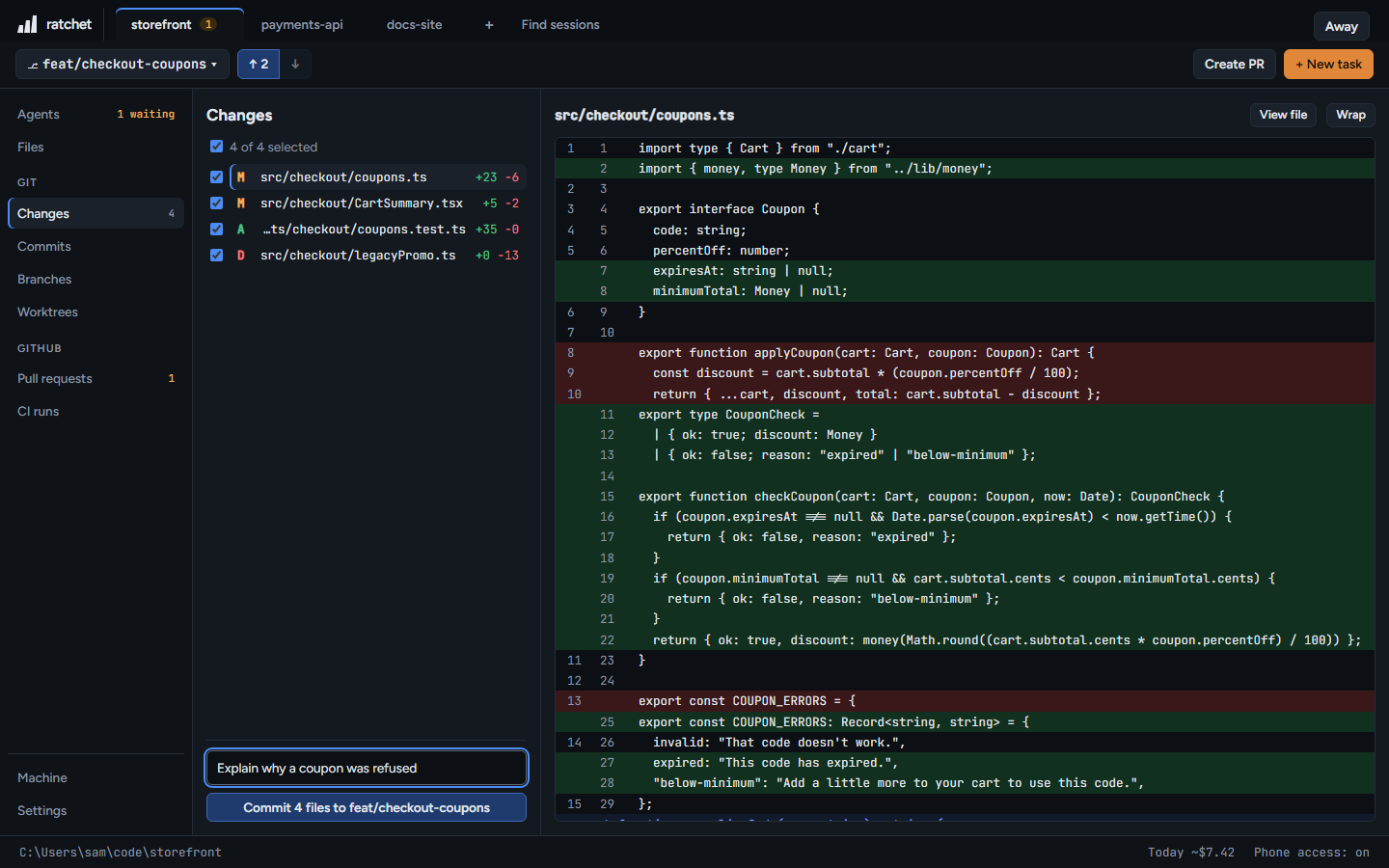
Changes shows the main folder: the branch checked out in the repo's own folder. To commit work an agent left in a worktree, ask the agent to commit it, or commit from a terminal in that worktree.
- Tick the files to commit. ↑ ↓ move through the list, Space ticks a file.
- Read the diff. Wrap wraps long lines, View file opens the whole file.
- Write a commit message and press Commit 4 files to feat/checkout-coupons, or press Ctrl+Enter (⌘+Enter on a Mac). Only ticked files go in.
Push and pull
The top of the repo page shows ↑ 2 when you have commits to push and ↓ 1 when origin has new ones. These act on the branch checked out in the main folder. The first push sets up tracking. Pull only fast-forwards. If both sides have new commits, merge or rebase in a terminal.
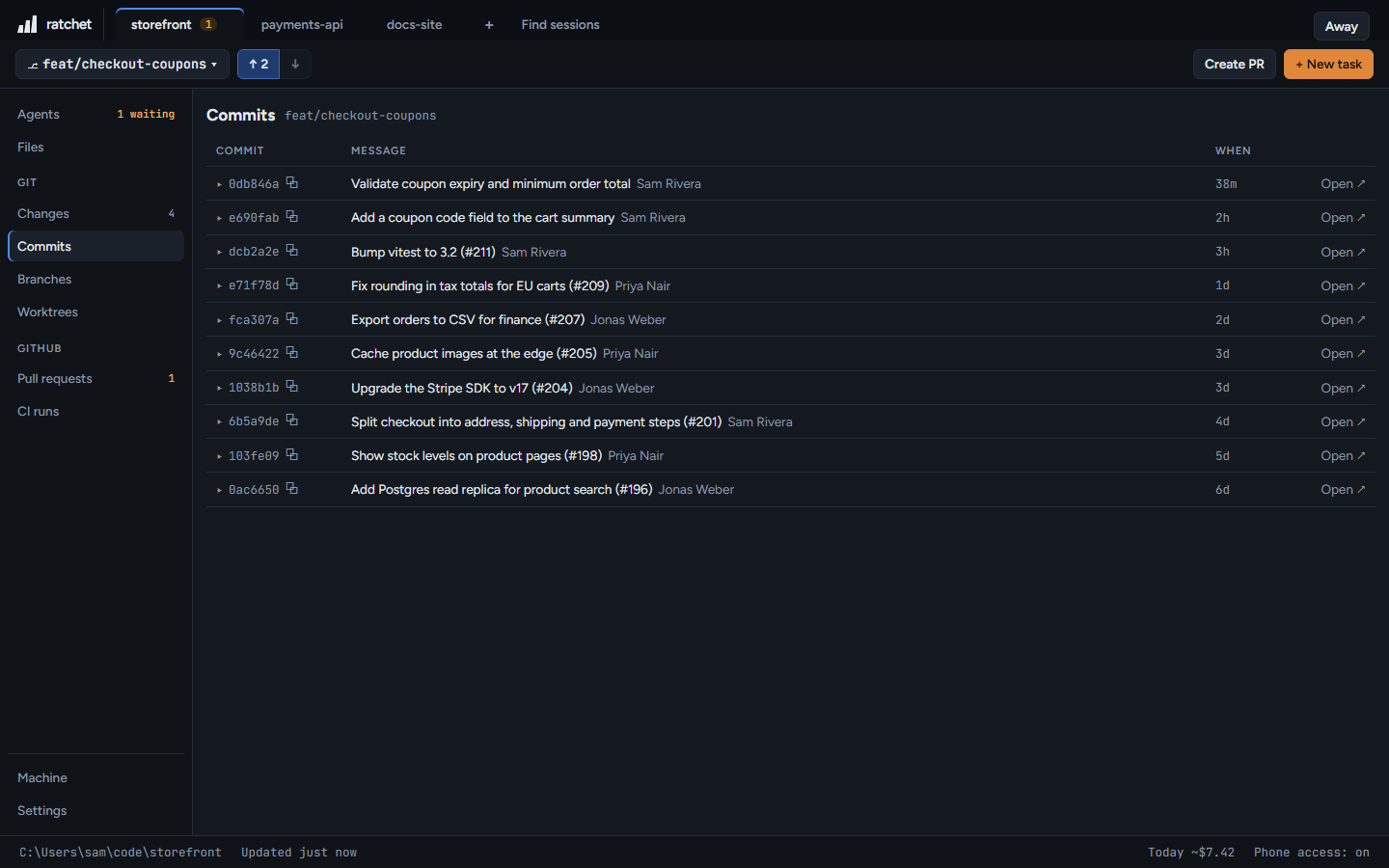
Commits
Recent history for the branch checked out in the main folder. Click a commit to see its diff. Click a hash to copy it, or open the commit on GitHub. Shows the last 100.