New task
Name a worktree. ratchet makes the branch and the worktree, then opens Claude Code there, waiting for your first message.
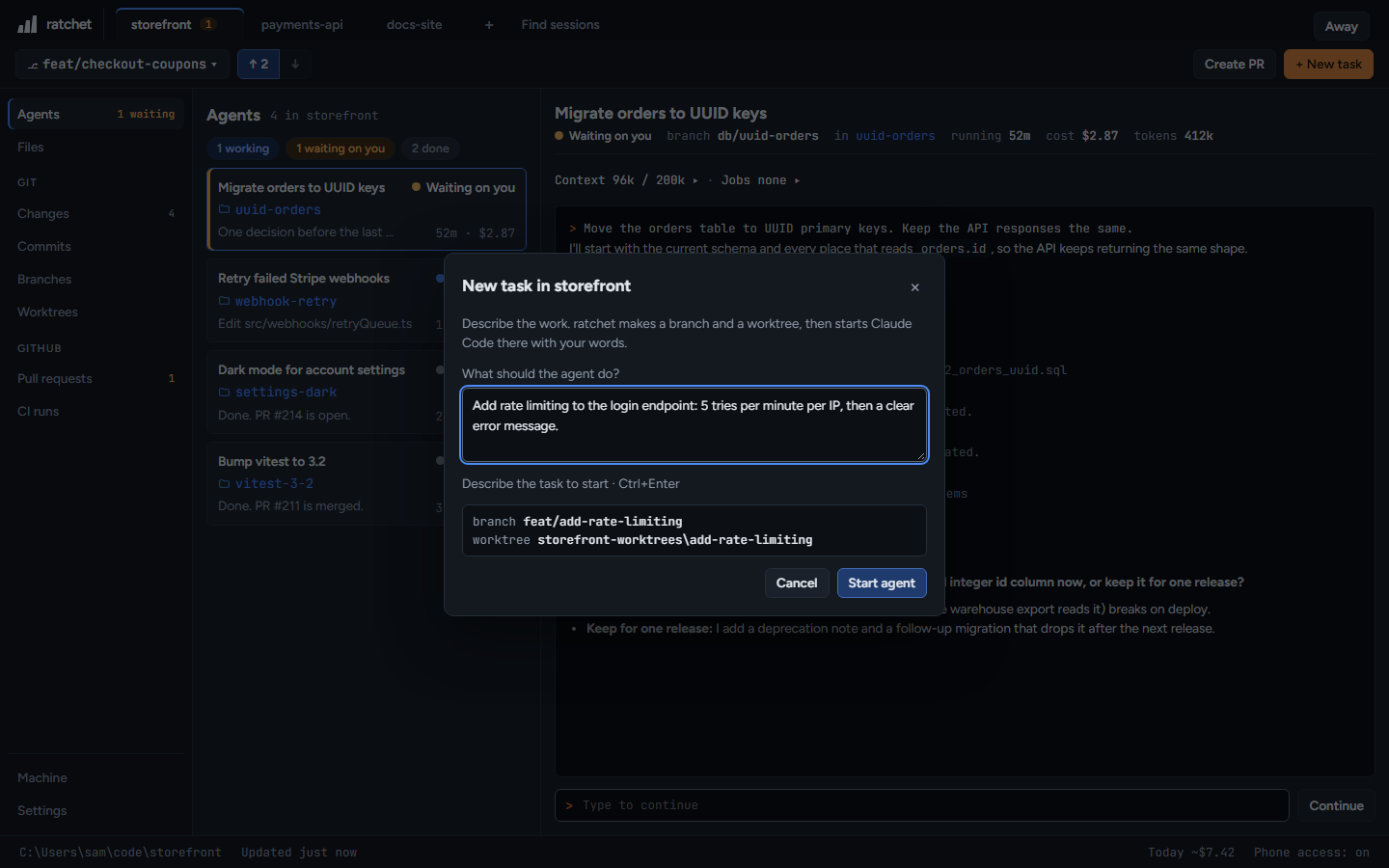
- Press + New task at the top, or N anywhere outside a text field. On the phone, tap the round +.
- Check the Repo. It starts on the repo you have open, or the one you used last. A repo's own + New task row in the side menu fixes it to that repo.
- Type a name for the worktree, for example login timeout.
- Check the preview of the branch and worktree names.
- If the repo has
.envfiles, leave Copy my .env files into the worktree ticked so the agent has your local settings, or untick it. - Press Start agent, or Ctrl+Enter (⌘+Enter on a Mac). Claude Code opens in its terminal and waits for you to type.
Choose Main folder instead to open Claude Code in the repo's own folder, with no new branch.
A plugin can add its own kind of task, for example Staged (saves tokens). Turn on its switch in New task and describe the work under What should the agent do?. Such a task always gets a new worktree.
Pick the account
With two or more Claude accounts, New task shows Account right under the repo, or first when the repo is fixed. It starts on the repo's account (see Account for new tasks), else Main. The agent runs on that account's plan, with that account's settings and conversations. With one account the field is not there.
- Copy & open Claude in Continue with Claude and Review with Claude has the same Account select.
- A plugin task, and each later stage of a staged task, runs on the account its task started on.
- Reopening an agent, or opening it in a new terminal, always uses the agent's own account.
- If the account is signed out, ratchet starts nothing and shows Sign in again under the Account box. Your name and prompt stay as typed. A plugin task or a later stage on a signed-out account fails with Work is signed out., and ratchet sends the signed-out alert if it hasn't already.
How names are chosen
| What | Rule | Example |
|---|---|---|
| Branch | feat/ plus your name, lowercase, with - in place of spaces and other signs, up to 40 characters | feat/login-timeout |
| Name taken | ratchet says so under the name; pick another name | login-timeout is already used — pick another name. |
| Name Windows reserves | con, prn, aux, nul, com1–com9 and lpt1–lpt9 are refused | con is a name Windows reserves — pick another name. |
| Worktree folder | next to the repo, in <repo>-worktrees | C:\Users\sam\code\storefront-worktrees\login-timeout |
Each task gets its own folder next to the repo: a repo at ~/code/shop keeps its tasks in ~/code/shop-worktrees/. Because every task gets its own folder, agents working at the same time never edit the same files.
Claude Code opens in the new folder without asking whether you trust it. When ratchet makes a worktree, it marks that folder as trusted in Claude Code's own settings, the same as answering yes the first time.
New agents ask before running commands, as Claude Code normally does. To let them work without asking, turn on Skip permission prompts in Settings.